EdgeBar
Control your Mac's volume and brightness from the trackpad edges
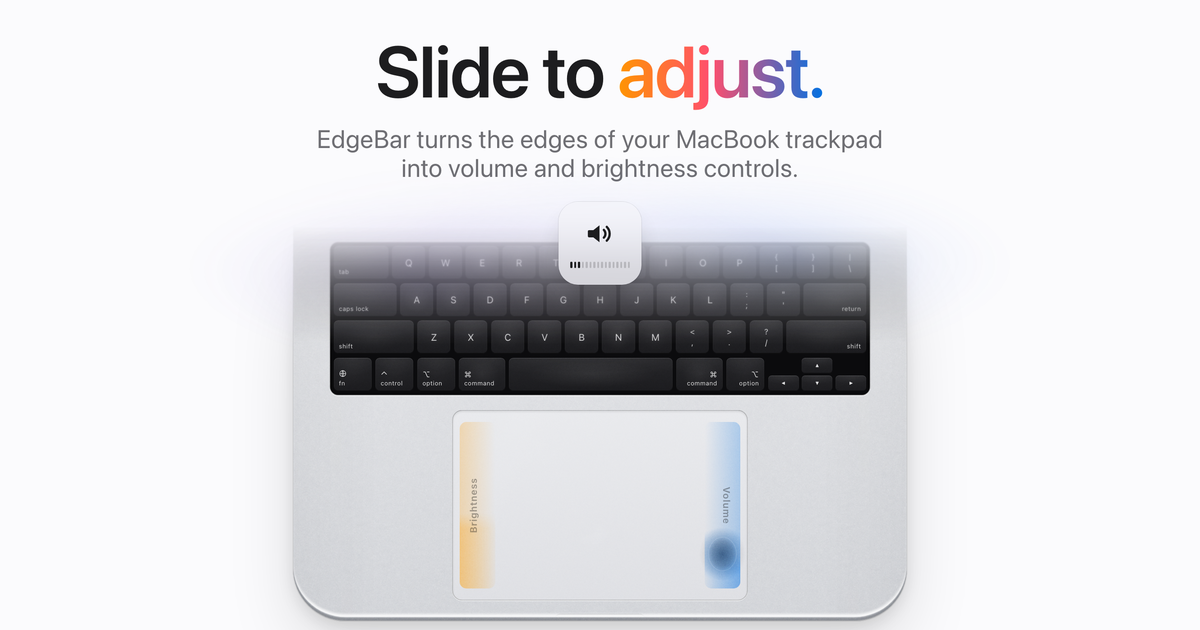
EdgeBar turns the edges of your MacBook trackpad into volume and brightness controls. Slide to adjust, with the native on-screen display.
Extensions & DesktopPaid
Screenshots
Click to view full size
About
EdgeBar turns the edges of your MacBook trackpad into volume and brightness controls. Slide a finger along the right edge for volume and the left edge for brightness. You get the same on-screen display as the keyboard keys.
More than two edges:
- Quick Mute: double-tap the top-right corner
- Media Strip: swipe the bottom edge to skip, tap to play
- Haptic feedback: a light tick under your finger as you slide
- Fine control: hold Shift-Option for quarter steps
- Cursor freeze: your pointer stays put while you slide
- Swap sides, limit slides to the bottom quarter, or require a modifier key
Lives in the menu bar. No Dock icon, almost no CPU. $9 one-time purchase (normally $14), free 1.x updates, no subscription. Requires macOS 13 Ventura or later.
More Extensions & Desktop tools
Delete Facebook Messages
Archive/Delete Facebook Messages
Tabliss
A beautiful, customisable New Tab page for Chrome, Firefox and Edge — 100% free.
Prompt Library - Prompt Manager
Save, organize, and access your most-used prompts in seconds with Prompt Library.
DisplaySwitcher
Switch monitor inputs and transfer text and files between computers.
Reviews
Used EdgeBar? Tell people how it went.
Loading…